
Transactions in seconds
Amount, account and date are all you need. Add several at once, search years of history, and edit in bulk.
How it works: Transactions in secondsPersonal finance and planning
Monevo keeps your accounts, spending, budgets and plans in one place, so you can see where your money stands and what the coming months hold, worked out from your own records.
Sign in with your Google account. Monevo never connects to your bank or asks for a bank login.
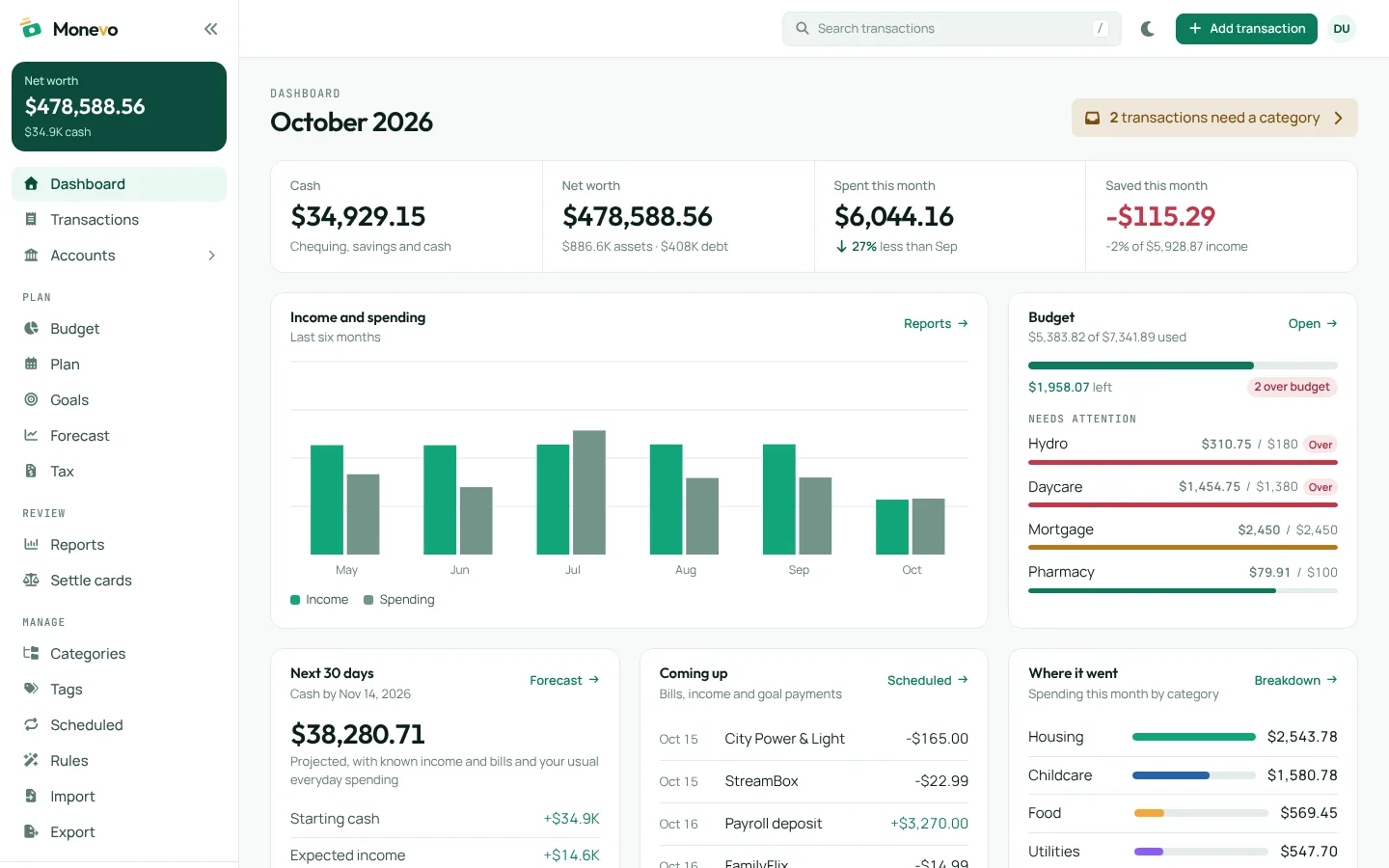
Record what happened and keep every account in one place.
Amount, account and date are all you need. Add several at once, search years of history, and edit in bulk.
How it works: Transactions in secondsChequing, savings, cards, loans, investments, property and vehicles. Balances come from your transactions.
How it works: Accounts and net worthCategories say what you spent on, tags say what it was for, and your own rules sort new transactions.
How it works: Categories, tags and rulesBring in CSV exports from your bank or another finance app. Review every row before it's saved, and undo an import.
How it works: Import your historyTurn what you know is coming into numbers you can act on.
Set monthly limits by category and start a month from last month or your averages. With Pro, lay out the whole year and fill months in from it.
How it works: Budgets and a yearly planRent, pay and subscriptions appear ahead of time, with each account's projected balance after every payment.
How it works: Scheduled bills and incomeYour cash on any date you choose, with every scheduled item and estimate behind the figure listed.
How it works: A forecast you can checkPlan a trip, a car or a tax bill, see what to save each month, and check your cash covers it in time.
How it works: Goals for large expensesFollow how things change and what larger commitments mean.
Enter a loan's terms to see each payment's interest, the payoff date, and what an extra payment would change.
How it works: Mortgages and loansAn estimate of your 2026 refund or balance owing, from your income and the transactions you confirm. Not a filed return. Your partner's estimate is on Premium.
How it works: Tax planning (2026)Spending by category, tag and merchant, cash flow, trends, budget against actual and net worth.
How it works: Reports that drill downSplit a credit card's spending between a joint account and personal savings, using categories and tags.
How it works: Settle a shared cardAdd transactions as they happen, or import your history from a CSV.
Categories, tags and reports show where the money goes.
Set a budget for the month and schedule what's coming. With Pro, plan the whole year.
See your cash on a future date, and whether each account covers what's due.
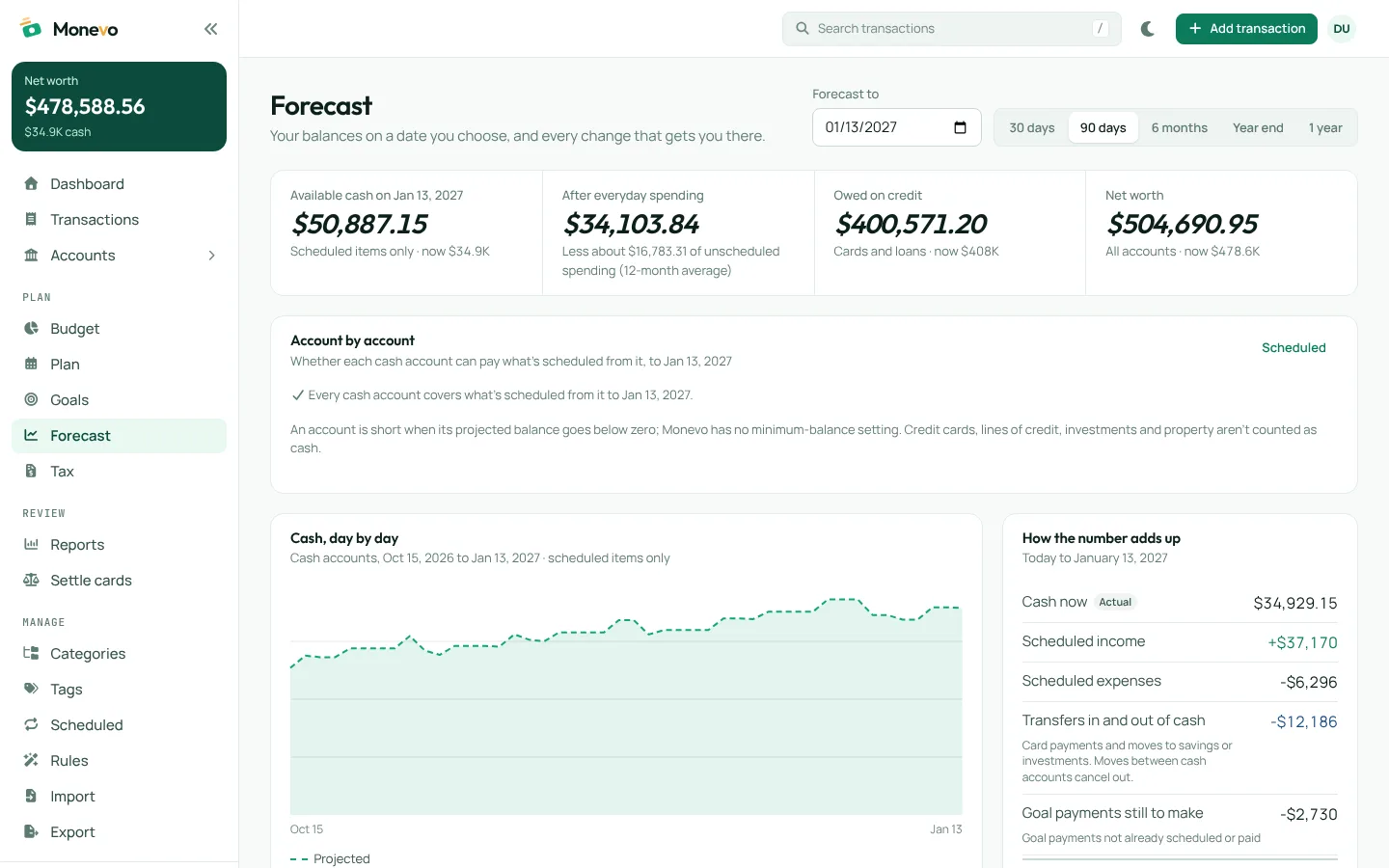
A forecast, a budget or a tax estimate shows the transactions, schedules and assumptions behind it.
Monevo starts empty and works from what you record or import. It never connects to your bank or asks for a bank login.
Download your transactions and accounts as CSV, or a complete backup, at any time, and delete your data from Settings.
Monevo is a tool for organising and planning. Forecasts and tax estimates depend on what you enter and aren't financial, tax or legal advice.
Everyday money is free. Pro and Premium add the yearly plan and Canadian tax estimates, and are arranged with us for now.
Track, budget and look ahead
Free
Accounts, transactions, import, budgets, schedules, goals, the five-year forecast, every report, loans and Settle cards.
For: Anyone keeping track of their own money
Plan the year and your tax
Contact Sales
Everything in Free, plus the annual plan and a Canadian tax estimate for yourself, for every tax year Monevo has rules for.
For: People planning a whole year ahead and estimating their own tax
Plan your tax as a household
Contact Sales
Everything in Pro, plus your spouse or common-law partner's tax estimate beside yours, each worked out under their own province's rules.
For: Couples who estimate their taxes together
A web app for keeping track of your accounts and spending and planning ahead with them: budgets, scheduled bills, cash forecasts, goals and loans, with a yearly plan and a Canadian tax estimate on Pro. It works from the records you enter or import.
No. Monevo doesn't connect to banks and never asks for banking credentials. You add transactions yourself or import the CSV files your bank or another finance app lets you download.
It's what an account would hold on a future date if your balances, scheduled items and, where shown, your usual spending play out as recorded. It's an estimate to plan with, not a guarantee.
No. Tax planning, part of Pro (with your partner's estimate on Premium), estimates a 2026 refund or balance owing, from the income you enter and the transactions you confirm, under the rules of the province or territory you choose - fully for some, partly for others, and not yet for Quebec. It's for planning only: it doesn't file a return, connect to the CRA, or replace advice from a tax professional.
Everyday money is: accounts and transactions, import, budgets, scheduled items, goals, the forecast, every report, loans and Settle cards. The yearly plan and tax estimates are part of Pro and Premium, which are arranged through Contact Sales for now. Export, backup and deleting your data are free on every plan.
Your records are stored in Google Firebase under your account, and only your signed-in account can read or change them. You can download everything as a backup at any time, and permanently delete your Monevo data from Settings.
Sign in with Google and you begin with an empty Monevo. Add an account or import your history, and the dashboard fills in from there.